The Inventory Management module in the E-Office portal centralizes stock control, vendor management, and daily inventory operations. It offers real-time stock tracking, streamlined approvals, and actionable insights for smarter, data-driven decisions.
Key Metrics
Customer Satisfaction Rate
Users
Customer Support
Registered Members
Dashboard
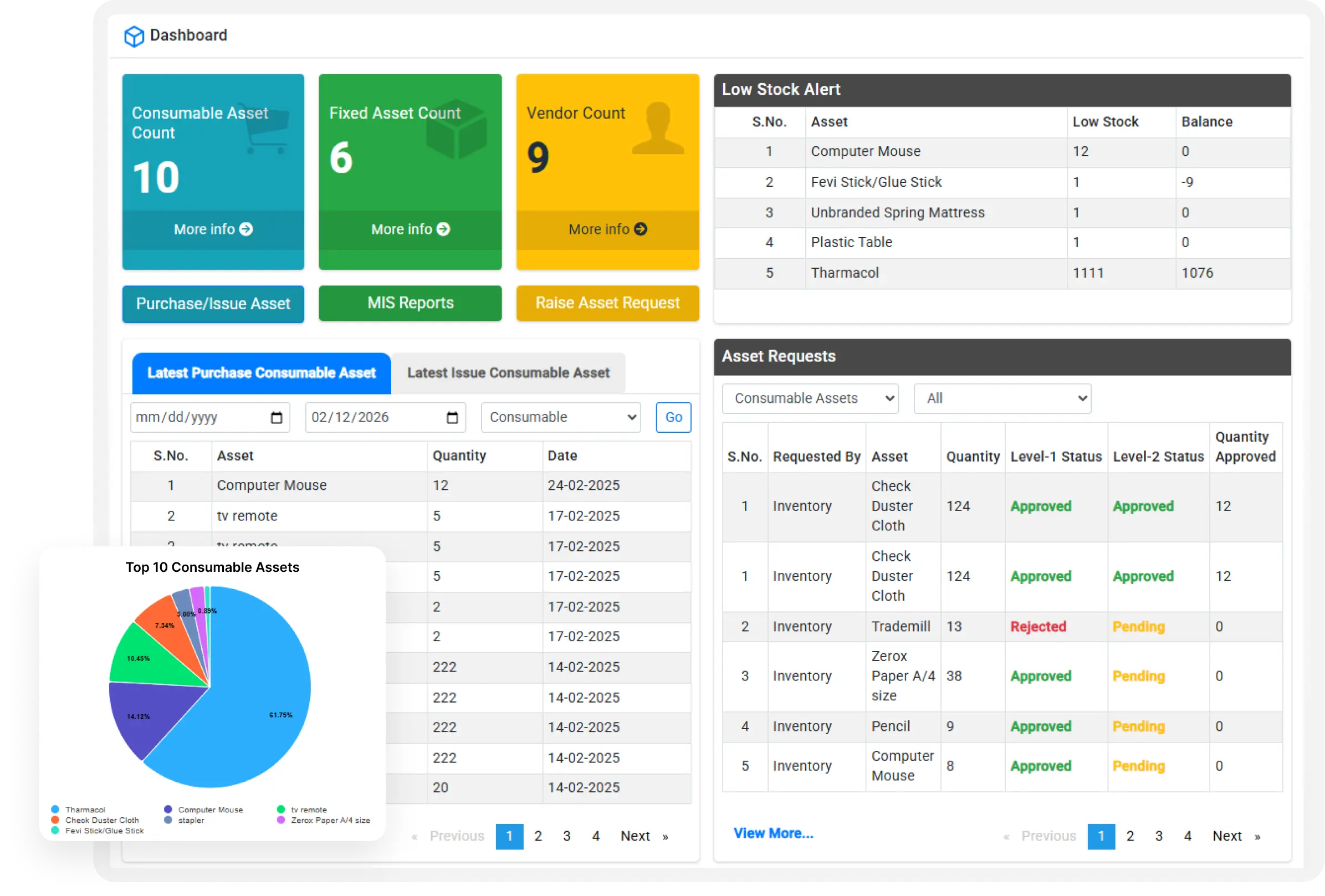
Acts as the system landing module for users, Displays real-time aggregated metrics from inventory and transaction tables, Provides KPIs such as total stock, low stock count, pending requests, and active vendors, Includes graphical visualizations (charts, trends, category distribution), Supports event-based alerts (low stock, pending approvals), Enables quick navigation shortcuts to core modules.

Stock Management
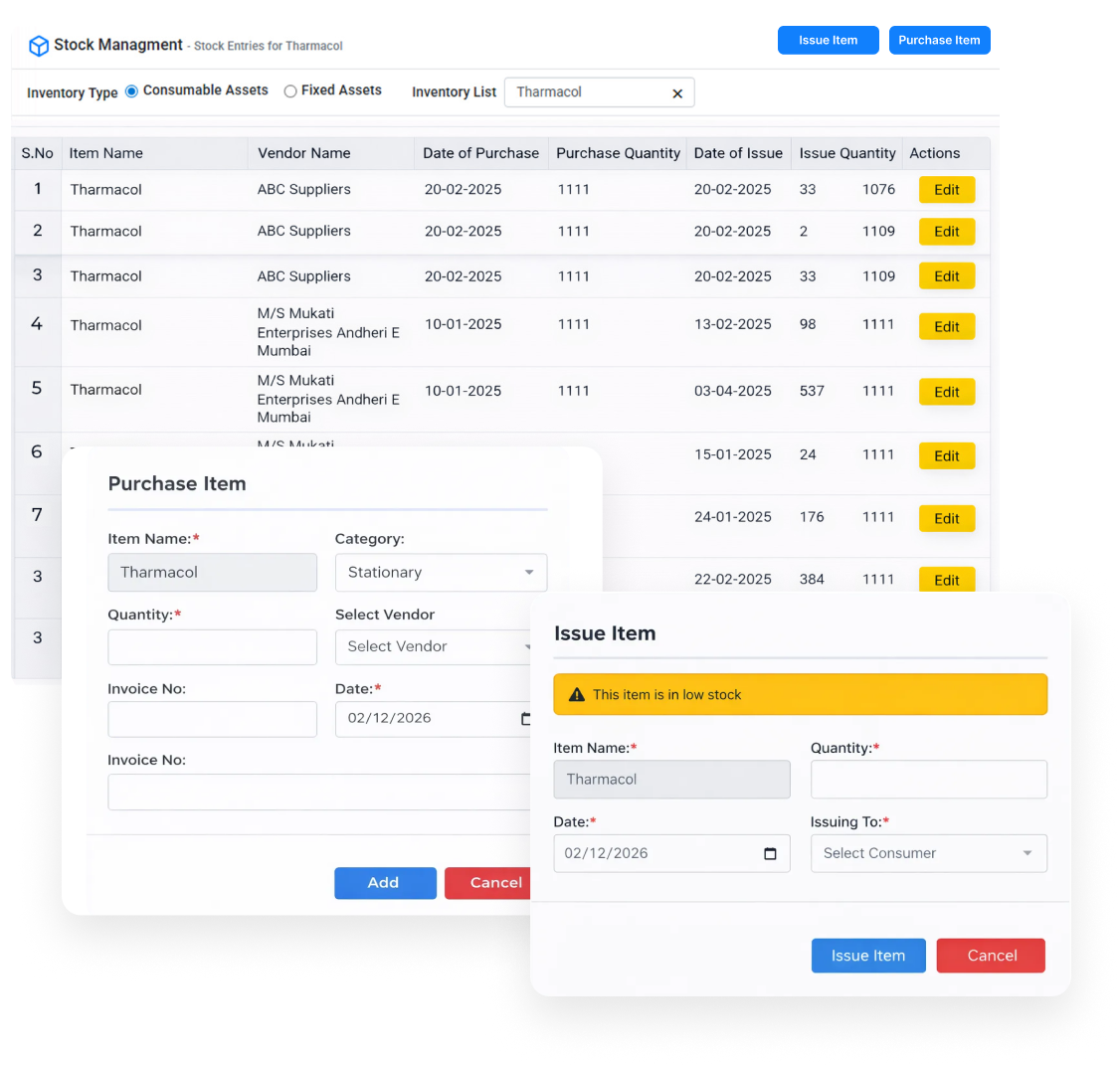
Manages inventory lifecycle operations (Stock In, Stock Out, Adjustments), Maintains transaction-level stock records with timestamps and user reference, Automatically updates stock quantities upon approved operations, Supports minimum reorder level logic and low stock alert triggers, Maintains historical stock movement logs for audit purposes, Integrates with Item, Vendor, and Request modules.
Management Information System
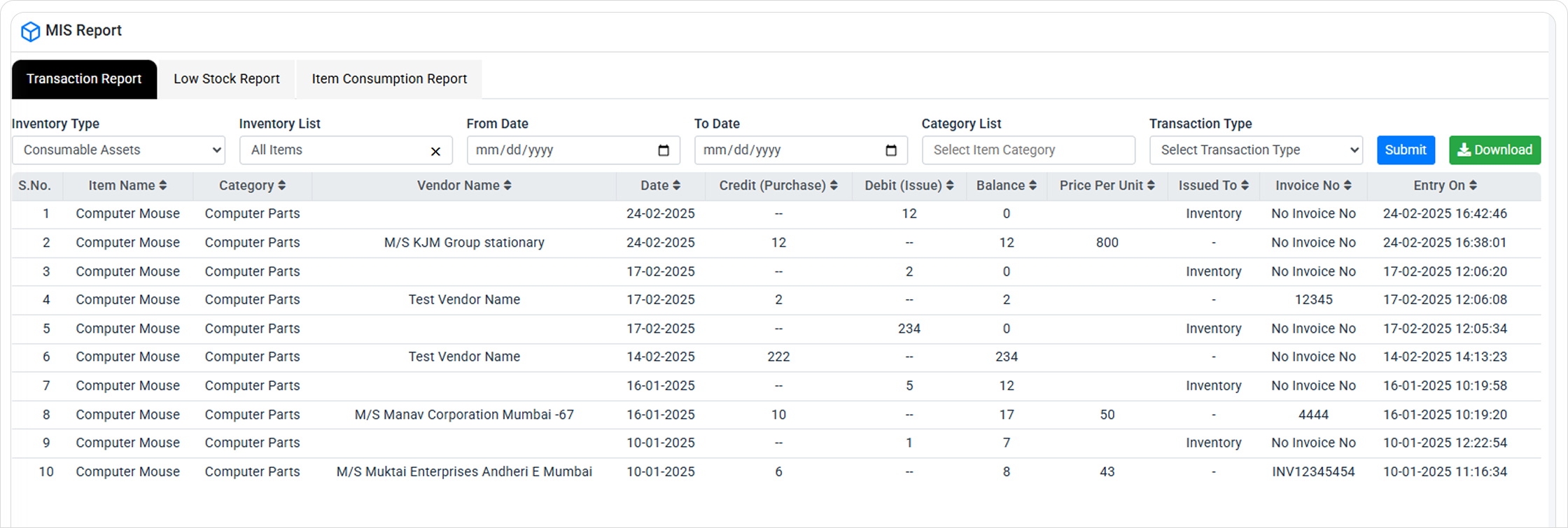
Generates structured and ad-hoc reports using inventory and transaction data, Supports item-wise, category-wise, and vendor-wise reporting, Provides date range–based filtering and aggregation, Identifies usage patterns (fast-moving / slow-moving items), Enables data export in standard formats (Excel, PDF, CSV), Supports management review, compliance, and forecasting.
Manage Category
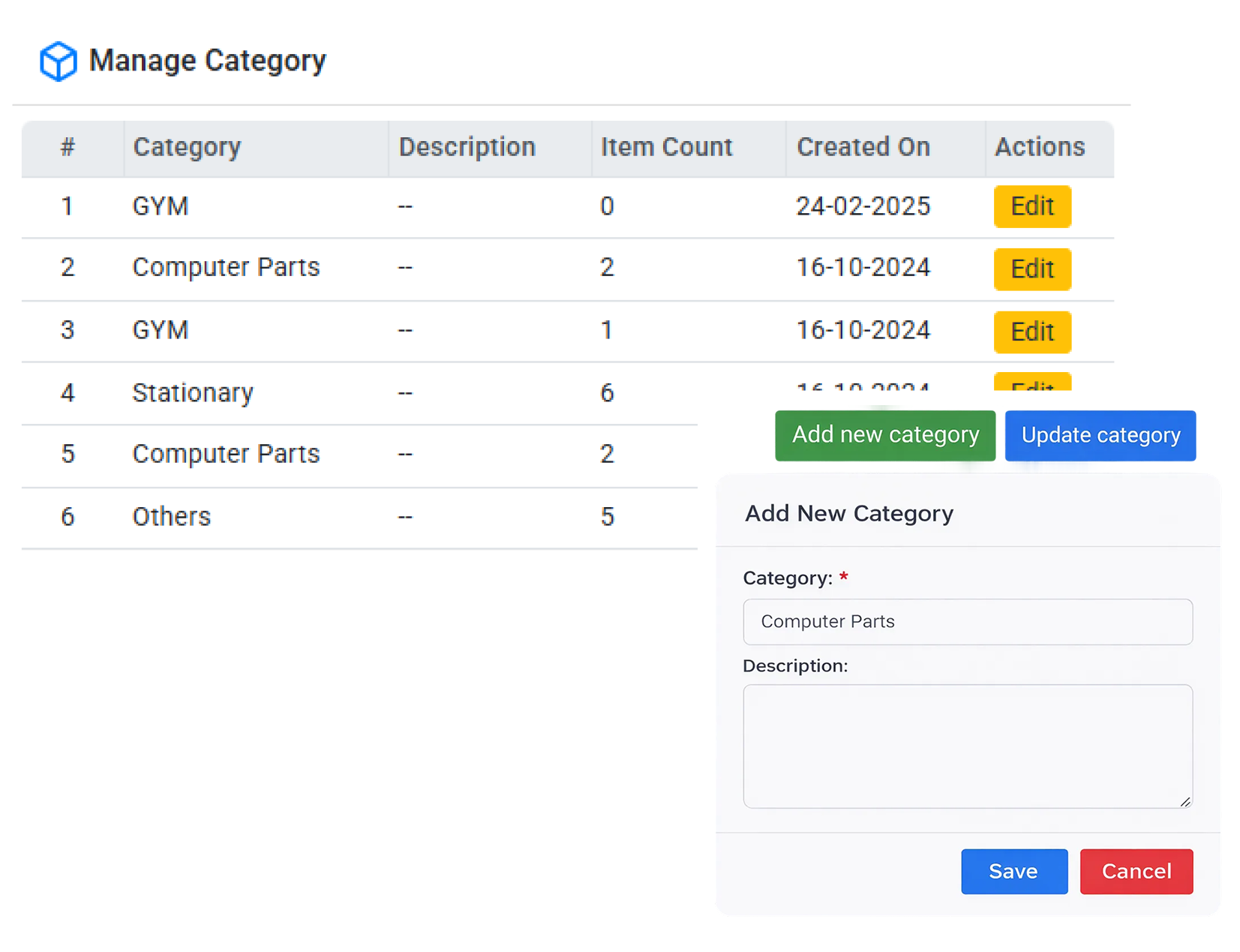
Maintains item categorization hierarchy, Supports parent–child category relationships, Enables category-level stock analysis and reporting, Enforces category validation during item creation, Allows category activation/deactivation without data loss.
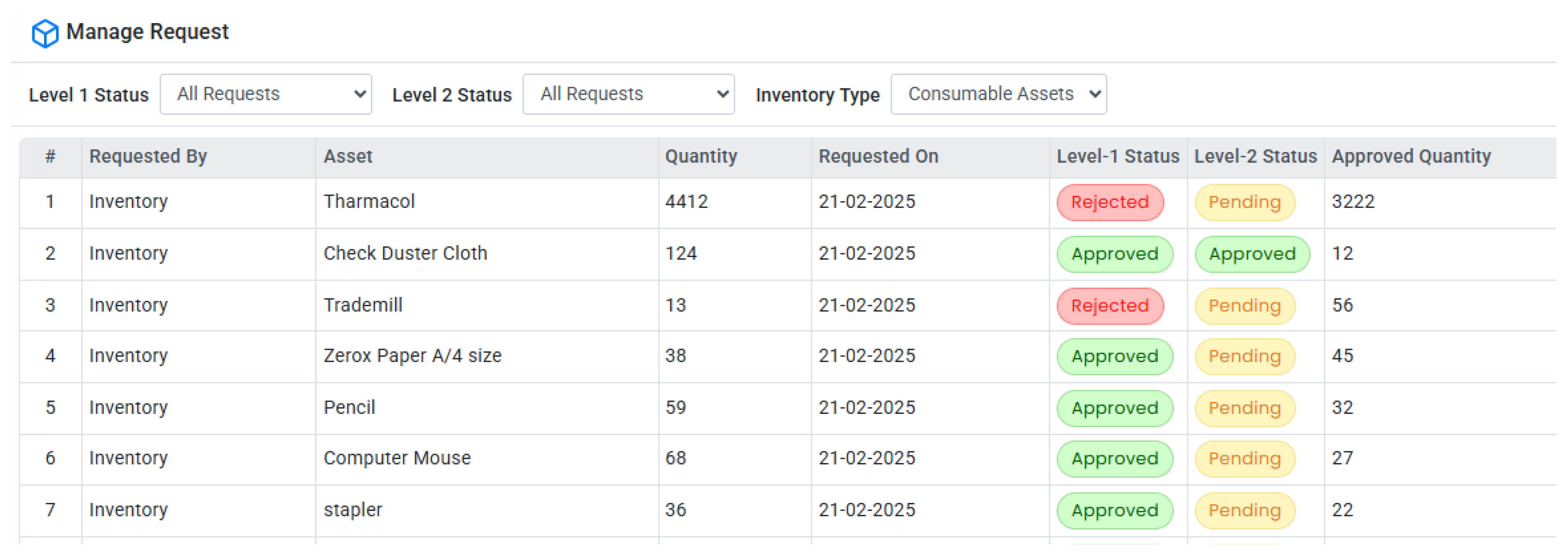
Manage Request
Handles internal inventory demand workflows, Allows users to raise item requests with quantity and purpose, Implements multi-stage approval logic, Maintains request state machine (Pending, Approved, Rejected, Issued), Triggers stock deduction only after final approval, Stores complete request lifecycle and audit trail.
- Customer Satisfaction Rate
- Users
- Customer Support
- Registered Members
Still not convinced?
Let’s talk about your project.
Submit a request — our experts will assess your current needs and recommend the right solution to help scale your business.
Frequently Asked Questions
The module provides a centralized system to manage stock levels, vendor information, item requests, approvals, and reporting. It ensures real-time visibility, controlled workflows, and efficient inventory lifecycle management.
The Dashboard displays real-time KPIs such as total stock, low stock alerts, pending requests, and active vendors. It also includes charts, trends, category distribution, and quick navigation shortcuts for faster operations.
Stock quantities are automatically updated after approved stock-in, stock-out, or adjustment transactions. The system monitors minimum reorder levels and triggers low-stock alerts to prevent shortages.
Yes, the MIS module generates structured and ad-hoc reports such as item-wise, category-wise, and vendor-wise reports. It supports date filtering, usage pattern analysis, and export options like Excel, PDF, and CSV.
The system uses Role-Based Access Control (RBAC) to manage user permissions. It supports multi-stage approval workflows, notification rules, and maintains audit logs for configuration and user activities.
Need to meet tight deadlines but don’t have enough hands on deck?
Hiring in-house takes time—posting jobs, sorting resumes, and onboarding. We can get you a dedicated designer or developer ready to start tomorrow.
Need to meet tight deadlines but don’t have enough hands on deck?
Hiring in-house takes time—posting jobs, sorting resumes, and onboarding. We can get you a dedicated designer or developer ready to start tomorrow.
Need to meet tight deadlines but don’t have enough hands on deck?
Hiring in-house takes time—posting jobs, sorting resumes, and onboarding. We can get you a dedicated designer or developer ready to start tomorrow.